
Even interested journalists may skip your game if they cannot quickly get what they need. An indie game press kit is not just a folder of images. It is what lets media, creators, and platforms understand your game at a glance and decide whether to feature it. Missing, outdated, or hard to use assets create friction, and friction is usually why coverage does not happen.
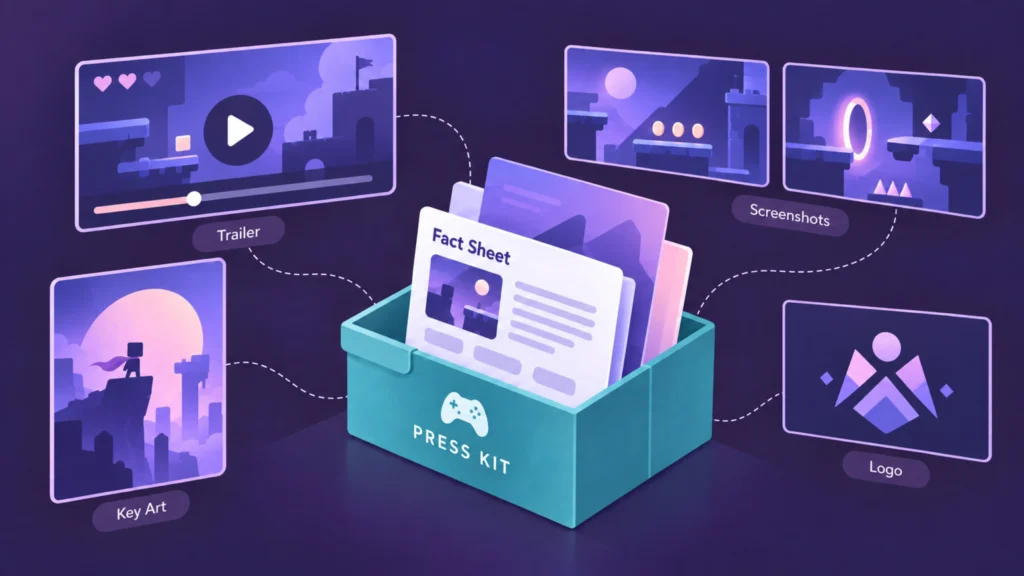
Put your core materials in one clean, easy to share folder. That way press and creators can write about your game, pull visuals, and use your trailer without chasing you for files. Some outlets, like IGN, need a downloadable version of your trailer so they can host it themselves. If you provide that upfront, you remove another barrier. Think of your indie game press kit as the link between your game and any potential coverage.
How media actually uses your press kit
Journalists rarely go through your entire press kit in detail. They scan quickly, pick what they need, copy key information, download the assets they need, and move on. If your materials are clear, current, and easy to use, you increase your chances of being featured. If they are confusing, outdated, or hard to navigate, your game is much more likely to be skipped.
What your indie game press kit should include
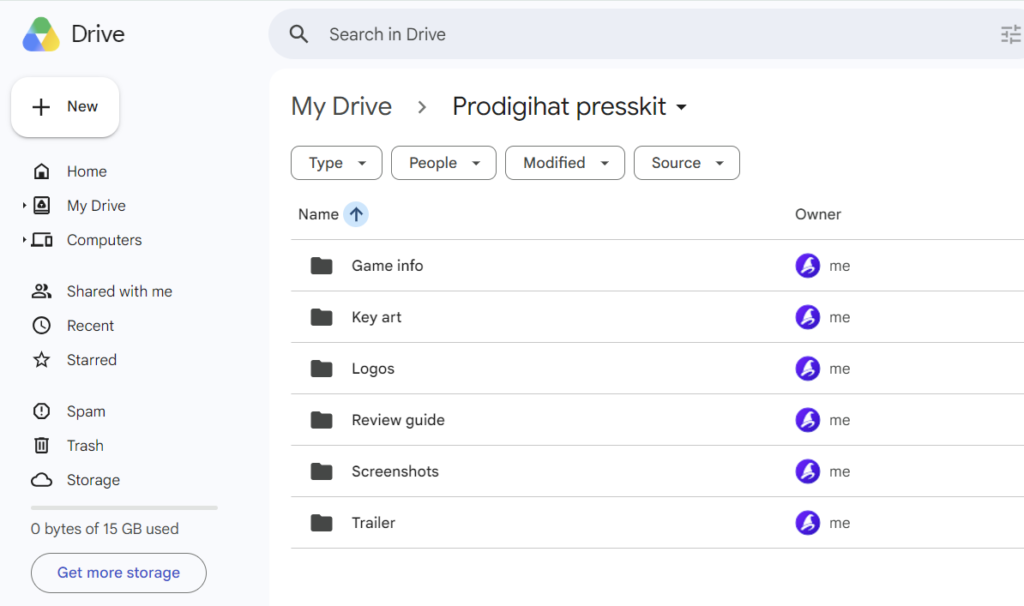
You do not need everything at once. Start with the essentials and expand your press kit as your game progresses. You do not need anything complicated either. A simple structure is enough:
- Key art
- Screenshots
- Trailer
- Game info
- Logos
- Review guide (once applicable)
Each of these elements serves a specific purpose. Below is how media uses them and what to include.
Key art
Key art is one of your most important visual assets. It is the face of the game, the image people associate with it. It should be a clean, high quality hero image. You can use the same artwork as your Steam capsule or store banner, but it also needs to stand on its own on media sites, without logos, badges, or heavy text overlays.
What to include:
- One to two versions of your key art
- Horizontal format suitable for article headers (for example 1920×1080 or similar)
- Clean version without text or overlays
- Lightweight, web friendly version for easy download and use
Pro tip: keep a master folder with all your assets locally, but only include what is current in your press kit. Update your visuals at each milestone. If you used a specific key art for a teaser, replace it with a new version for launch. Media look for assets that match the moment, and outdated files, or too many options, slow them down.
Screenshots
Screenshots are one of the most used parts of any indie game press kit. They show how your game actually looks and plays. Media might use your key art as the header, but screenshots are what fill out the rest of the coverage: gameplay, mechanics, environments, characters, UI. They are especially useful for journalists who want to cover your game but do not have time to capture their own footage.
What to include:
- 5 to 10 screenshots showing key moments of your game, especially your core hook in action.
- I would rather send six strong, clearly different screenshots than twenty near duplicates.
- A mix of gameplay situations that reflect the overall experience
- Clear shots of main mechanics or systems
- UI or menu example if relevant
- Character, environment, or tone variety where possible
- Lightweight, web friendly files that are easy to download and use
Pro tip: just like with key art, keep your screenshots current. Add new ones as the game improves, and remove anything that no longer reflects its current state. You want to show the version you are building now, not something already outdated.
Trailer
Without key art and a few strong screenshots, do not reach out to press yet. A trailer builds on those basics and can significantly increase your visibility across both media and social platforms. Upload your trailer to YouTube, but also include a downloadable version in your press kit. Some outlets like IGN or GameSpot, prefer to host trailers on their own platforms, so having a ready to use file makes it easier for them to feature your game.
What to include:
- If you are announcing your game, start with a short teaser that introduces the concept and hints at the core hook without giving everything away
- As you get closer to launch, add a gameplay trailer that shows what players actually do and what they can expect
- Cinematic trailers work best once there is some awareness and players can easily find gameplay elsewhere, as they help reinforce the tone, story, or atmosphere of your game but should not replace showing actual gameplay
- If you are revealing a release date, include a trailer that mixes gameplay and cinematic moments, with a clear call to action
- Your launch trailer does a lot of the heavy lifting at release. It should leave a strong final impression and push players to wishlist or buy
- Provide a few formats or shorter cuts so the trailer can be easily shared on platforms like TikTok and other social channels
Pro tip: keep one clearly designated current trailer in the press kit. Do not confuse the press with multiple trailers, share the version that best represents your game at that moment.
Game info
Save time for the press by including a one pager in your indie game press kit with the most important information about your game. This is often what journalists reference when writing about your project.
What to include:
- Start with a one line pitch that clearly explains what the game is
- Add a short description covering the concept, setting, and core hook
- List the key features and what makes the game stand out
- Include a brief gameplay overview that explains what the player actually does
- Provide the basics such as genre, platforms, and release window, but only include details that have already been publicly revealed
- Add a short description of your studio or yourself as a solo developer, including any relevant background.
- Include contact details and social links
- You can also add a simple call to action, like a wishlist or demo
Pro tip: keep it tight and easy to scan. A good one pager should quickly answer two questions: what makes the game interesting, and how does it play?
Logos and supporting assets
These are the assets media use to round out coverage in articles, store listings, databases, and social posts. If they are easy to find and ready to use, your game is much more likely to be included.
What to include:
- Provide your game logo in high resolution, ideally as a PNG with a transparent background
- Include your studio logo in a few variations so it works on both light and dark backgrounds
- Add capsule images in different sizes for store listings and databases
Pro tip: use clear, descriptive file names and export assets in ready to use formats. Media often grab files quickly, so the easier they are to recognize and place, the more likely they are to be used.
Review guide (optional)
Include this once your game is playable and you are sending out review keys. It helps reviewers get up to speed quickly, especially if your game has more complex systems.
What to include:
- Explain the core controls
- Give a quick overview of key mechanics or systems
- Highlight any important settings or recommended setup
- Add anything that helps the reviewer get into the flow and experience the game as intended
Pro tip: keep it to one page. Reviewers will not read long documents. Focus on what helps them start playing quickly and understand the core experience.
Other optional but useful additions
Depending on your stage, you can also include:
- Short gameplay clips or GIFs for quick sharing and social use
- Short trailer cuts or vertical clips for platforms like TikTok
- If you decide to include developer or team photos, keep them in a separate folder. For example, Team / Developer Photos. Add a clearly labeled headshot of the lead or solo developer, and a few group photos if relevant. Natural shots or in development moments usually work better than overly polished ones.
These are not required, but they can help extend your visibility, make your assets easier to reuse, and give media and creators more flexibility when covering your game. If you do decide to add them, make sure to add them to the clearly labeled and organized folders.
Common indie game press kit mistakes
- Outdated assets that do not reflect the current game
- Too many options, especially multiple trailers
- Missing downloadable files
- Unclear or overly long descriptions
- Disorganized folders or naming
- No clear contact information
Build your press kit once, keep it current, and reuse it for every future outreach round. Subscribe to more tips and download the free checklist to start putting your folder together.