
It’s really overwhelming with all the information about tips and strategies for how to market your game, but how do you actually know when to do each thing? When is the optimal time to launch your Steam page, kick off your PR campaign, or show your game to media and influencers in alignment with your development schedule?
There are plenty of useful indie game marketing guides and launch timelines out there, but I struggled to find one that clearly maps PR and marketing activities to the actual stages of game development. So I decided to build one based on 7+ years of PR experience working with indie games, while also drawing on insights from other industry experts.
So here is a step-by-step guide mapped to different stages of game development.
Quick note: this guide is primarily designed for indie games launching on PC via Steam, although many of the PR and community-building principles also apply across other platforms.
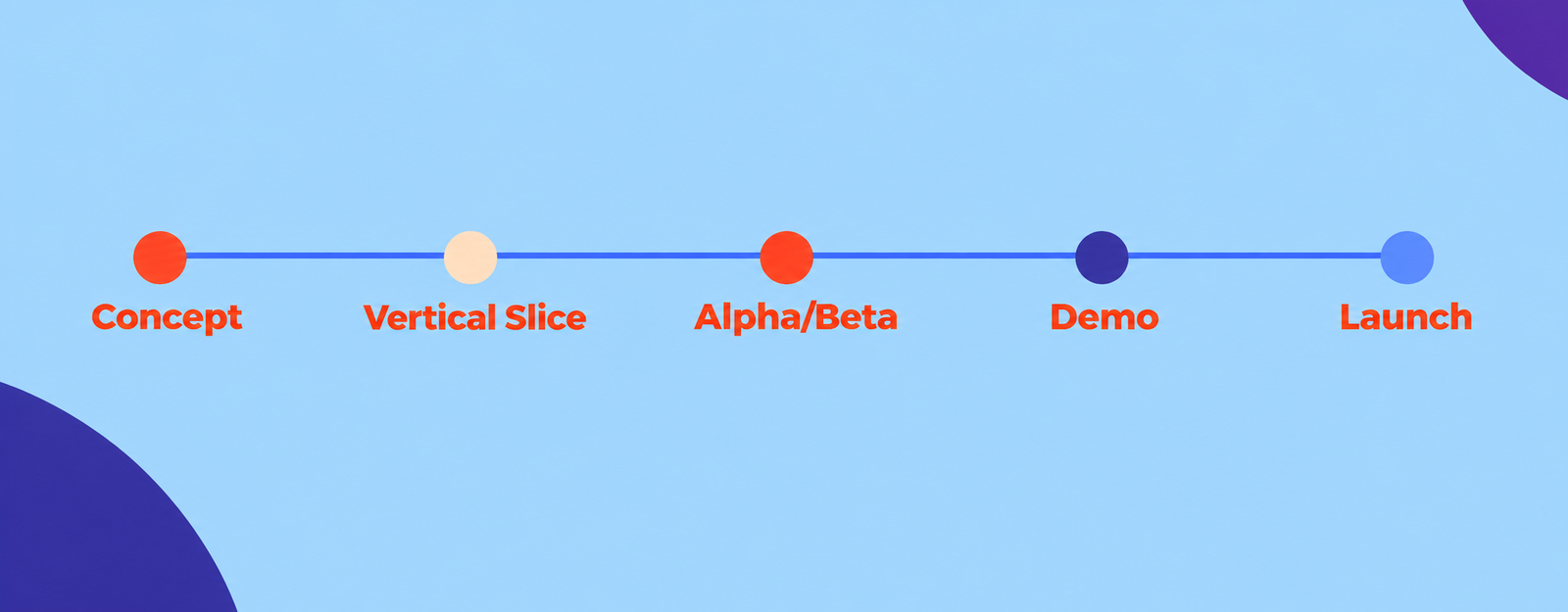
Stage 1: How to Market Your Game During Concept & Prototyping
Assuming you’ve already done your market research, chosen a genre with decent demand, and figured out a concept that stands out, your first marketing & PR step should begin right now. You’ve got a cool idea, a value proposition, a clear vision for the game, maybe even a brand name, so why not start sharing it with the world and build that fan base slowly and steadily?
If you’re already past this phase, don’t worry, you can jump ahead now and circle back later to fill in any gaps.
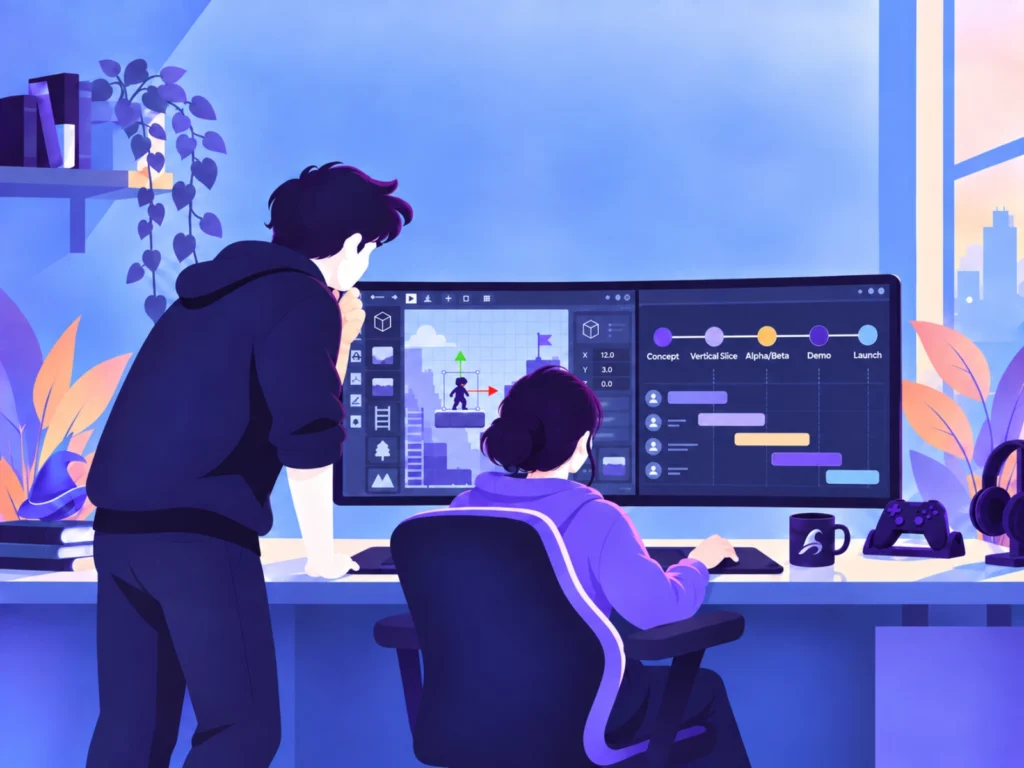
Why it matters?
People can enjoy being part of the journey. Early sketches and polls can spark interest, help you refine your vision, and turn casual scrollers into early followers who may stay with your game through launch. When people feel their feedback shaped even small details, they can become more invested in the development process, which can help with building engagement long term.
What to do?
- Choose 1–2 social media platforms you’re comfortable with (X, Instagram, TikTok, etc.) and set up your profiles with your logo, banner, pitch, and landing-page link. This is enough to establish an early presence without overwhelming yourself. It is better to show up consistently on one platform than to spread yourself thin across many.
- If X is your go to platform for sharing your thoughts, post early sketches and concept art, share small development updates, and use polls to involve your community. Ask which versions they prefer for characters, environments, or other creative details. Bring players into what you are debating, even if you are working solo. This turns your feed into a creative workspace and helps people feel involved early.
- Instagram works well for visual storytelling and behind the scenes content. Time lapse art, concept iterations, mood boards, character sketches, and Reels that show your creative process can work particularly well there. If your game has a striking art style, Instagram can help you build early interest and attract players who appreciate aesthetics.
- If you already have short gameplay snippets, story moments, or environment previews, share them on TikTok using current game focused formats. Look at what is trending and join in with popular audio or visual styles. Keep each clip focused and get to the interesting part quickly, and add a clear caption with relevant hashtags where useful.
- Start a simple mailing list or landing page early, even if only a few people join. Social platforms are great for reach, but having somewhere you control gives you a more reliable way to keep in touch with interested people as your game develops. You can also start a Discord later if you already have an active group that wants a community space.
- Aim to post consistently across your chosen channels rather than forcing a strict number of posts each week. Each update is planting a seed in your marketing funnel, and every vote, comment, and follow can help you learn what people respond to and gradually grow your audience.
Pro tip: Document your development process and save everything. Record small clips, keep early sketches, capture GIFs of new mechanics, and jot down short dev notes. These become valuable later when you need a trailer, a devlog, a press kit, or social content. Many devs scramble later because they never saved their early progress, even though early materials often perform well and show the evolution of the game.
Stage 2: Pre-Production: Vertical slice
By now, you’ve got a clearer sense of how to market your game and maybe some early followers or community members who are already reacting to your ideas and helping shape the project with their feedback.
Now that your tools are set up, the team is aligned, and the roadmap is in place, it is time to focus on something crucial: the vertical slice. I once heard it compared to offering someone a slice of cake. They get to taste the layers, the textures, and the flavors, but not the whole dessert yet. A vertical slice gives players and the press a clear picture of what your game is shaping up to become without revealing everything.
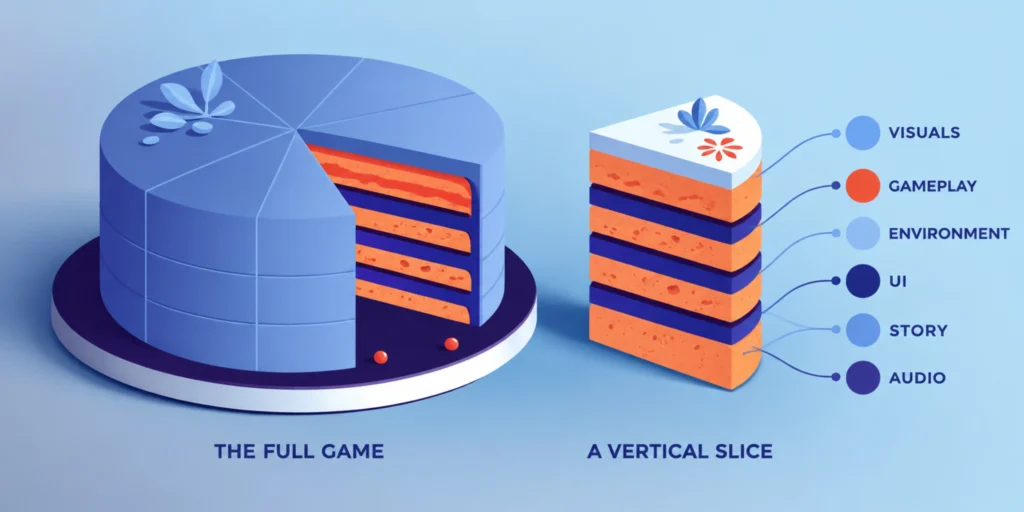
Why it matters?
This is where your marketing starts shifting from potential to proof. A strong vertical slice can show publishers and investors what the game could become, give you polished material for screenshots, trailers, your Steam page, and eventually your press kit, and help you sharpen the pitch you will later use with media and influencers.
Most importantly, people can now see and experience something that represents the game rather than relying only on an idea or concept. That makes it much easier to understand what is interesting about your game and why they should keep following it.
What to do?
- Capture high quality screenshots and short clips from the vertical slice to use across social media. Focus on moments that clearly show your core hook and feel representative of your game, not just pretty shots. These same assets will later feed into your trailer, press kit, and store page.
- Consider launching your Steam page at this stage if your game is visually representative enough to make a strong first impression. Use the polished visuals and clear descriptions you now have. Apply what you learned from early followers to refine your one line pitch and present your main features in a way that is easy to understand. A strong and accurate Steam page helps you start building wishlists early and gives all your social content a clear destination.
- Start organizing your basic press and marketing assets. Keep your logo, key artwork, strongest screenshots, short game description, studio information, and important links in one place. You do not need a fully polished press kit yet, but building it gradually now will save you time when bigger PR opportunities arrive. You can check my guide on what to include in your indie game press kit to start building it correctly.
- If your vertical slice is stable and polished enough, you can reach out to a few niche press contacts or micro influencers for early feedback. Do not treat this as a full PR campaign yet or expect everyone to jump in, but even a couple of genuine reactions can be very helpful. Frame it as a work in progress look, ask what stands out and what confuses them, and use those insights to shape future marketing.
- Share behind the build stories on social media. Talk about challenges you solved, how mechanics evolved, or what changed based on community input, and pair that with a short clip or screenshot. This helps people feel closer to the process instead of only seeing final results.
- If you choose to reveal your game publicly alongside your Steam page, you can send a short announcement press release to relevant outlets. Keep it simple and focused on the concept and first look.
- Do not expect wide coverage at this stage. Early announcements are mainly useful to establish your game’s presence publicly, introduce your project to journalists ahead of bigger milestones, and support early discovery. This step helps lay the groundwork for future PR moments, where your game will have a much stronger chance of getting coverage. You can check my quick guide on building your target list and creating a press release for an announcement.
Pro tip: Pay close attention to which moments in your vertical slice make people pause or react, even if you only shared it with a small circle. Those reactions reveal your strongest marketing hooks. The scenes, mechanics, or emotions that make someone stop and comment are the same elements you should later highlight in your trailer, your screenshots, your Steam page, and your pitches to press. Your audience will tell you what is most marketable if you watch them closely at this stage.
Stage 3: Production Alpha/Beta
Your game has moved beyond a polished slice and is now becoming fully playable. Core mechanics work together, systems are taking shape, and players can feel the real progression, pacing, and flow of the experience. This is also where your PR and marketing shift from showing a sample of your vision to testing how the full experience holds up.
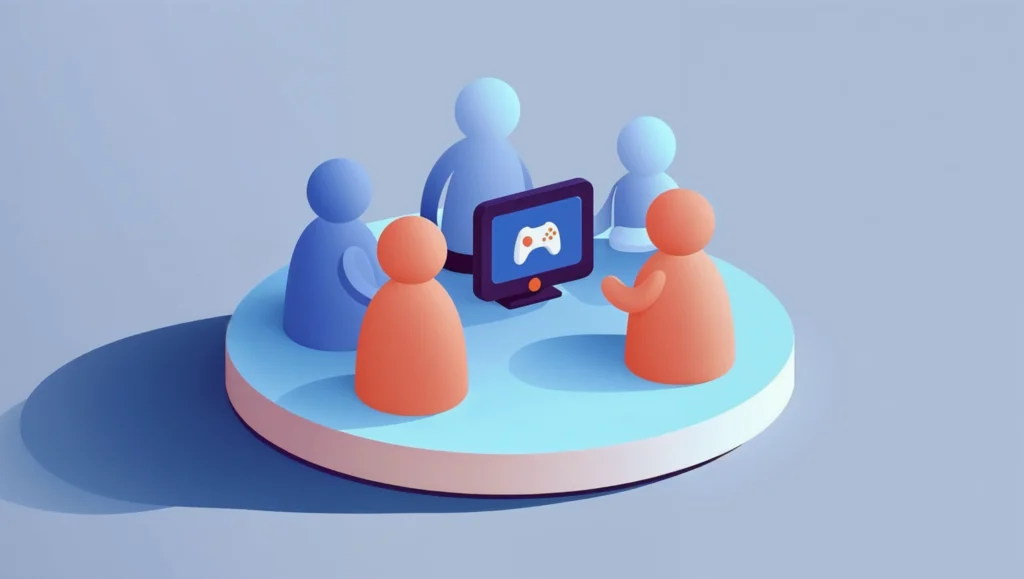
Why it matters?
This stage is about refining how to market your game based on how it behaves in real hands. You can gather detailed player feedback, test difficulty and pacing, and learn which moments consistently stand out as your strongest marketing hooks. It is also the right time to start controlled testing with small groups of players and, where useful, get early reactions from a few trusted creators or press contacts. Early feedback here helps you refine not only the game but also the story you will later tell through trailers, your Steam page, and your wider PR push.
What to do?
- Capture high quality screenshots and clips from the current build that show real gameplay, not just polished moments. These assets will help you communicate the feel of the full experience and will later feed into your trailer, Steam page updates, and press kit.
- Update your landing page or Steam page with new visuals and clearer descriptions now that the game is more defined. Refine your main features, adjust your tags if needed, and make sure the page matches the reality of your current build.
- Start running controlled playtests with small groups of players. If your Steam page is already live, consider using Steam Playtest. Invite community members through Steam, Discord, or email signups and use these sessions to test difficulty, pacing, clarity, bugs, and whether the overall experience delivers what your store page promises.
- Use a short feedback form or a consistent set of questions after each playtest so you can compare responses and spot recurring issues more easily. Pay attention not only to what players say, but also to where they struggle, lose interest, or get especially excited.
- If you plan to localize the game, start deciding which languages and markets matter most now so your store page, testing, and future marketing can support them.
- You can also selectively reach out to a few trusted, genre aligned press contacts or micro influencers who are comfortable looking at pre release builds. Keep expectations low and focus on their reactions rather than coverage. What they highlight or question can reveal strong marketing hooks, areas that need clarification, and issues you can fix before going wide.
- Share “behind the build” stories on social media by talking about what you are testing, what is working, and how player feedback is shaping the experience. This brings you closer to the community and shows followers that their input matters, which builds trust ahead of your public push.
Pro tip: Watch which parts of your game players naturally react to during alpha or beta testing. Those moments can become your strongest marketing hooks. Build your future trailer, Steam page highlights, and PR pitch around what players consistently get excited about, not just what you assumed would be exciting.
Stage 4: Polished Demo Ready
You’ve got a polished demo, your visuals are refined, and your story is clear. It’s time to step into the spotlight. This is where you shift from steady build-up to actively marketing your game to media, influencers, and players. The goal now is to make sure people know your game exists and want to play it.
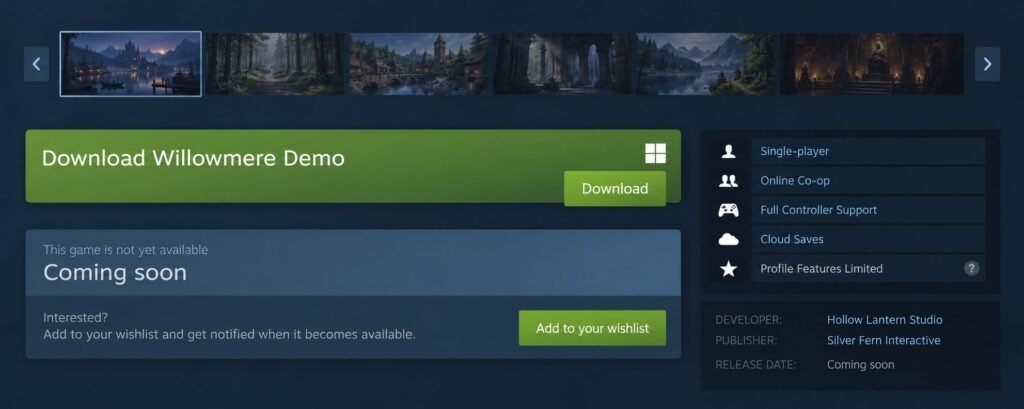
Why it matters?
This is one of your biggest opportunities to accelerate visibility before launch. Journalists, influencers, and players are much more likely to understand what makes your game interesting when they can actually experience it. A polished demo gives people something concrete to play, share, and talk about, while helping you build wishlists and momentum ahead of launch.
What to do?
A. Prepare and launch your demo
- Before the bigger push, test the demo with a smaller group first. Catch bugs, confusing sections, pacing issues, or technical problems before you send a much larger audience to it.
- Update your press kit for the demo launch. Add your latest screenshots, trailer, demo details, key features, studio information, and easy download links.
- If you haven’t yet built your target media and influencer list, do it now. You can check my on how to find the most relevant creators for your outreach.
- Before making your demo public, and this is important, give relevant media, influencers, and streamers early access well in advance. Aim for at least a week, ideally 2 to 3 weeks where possible, so they have time to play and prepare coverage. If you have a strong relationship or see a special opportunity with a specific outlet or creator, you can also offer a first look or limited exclusive.
- Once your list is ready, start sending personalized pitches to suitable editors and small to mid-tier influencers or streamers. You can reach out to bigger names too, though their organic interest is less likely unless your game’s concept is exceptionally unique or fits their niche perfectly.
- Treat the playable demo as a fresh PR milestone. Prepare a short press release and a strong trailer that quickly communicates the hook and shows real gameplay. Include a clear CTA such as “Wishlist on Steam” or “Play the demo now.”
- Once the demo is public, send out your press release with visuals, key details, the demo link, and your press kit. Personalize pitches to outlets and creators who have covered similar titles.
- Finally, collaborate with your community. Share the demo across your socials, ask for feedback, encourage gameplay clips and remind people to wishlist.
B. Use Steam Next Fest as a major opportunity
- If your timing works, consider Steam Next Fest one of your biggest pre launch opportunities. It can bring a large wave of new players to your demo and Steam page, so make sure both are in strong shape before the event.
- Choose your Steam Next Fest carefully. A game can currently participate in only one edition, so pick the one that best fits your development and launch timeline rather than joining simply because your demo is ready.
- Prepare for the traffic. Review your Steam page, trailer, screenshots, tags, description, and CTA, and make sure your demo has already been properly tested. You do not want Next Fest to be the first time a wider audience plays it.
- Coordinate your outreach around the event. Give media and creators access in advance, remind your community when the festival starts, and share any coverage, streams, or strong player reactions while the event is live.
- You can also look at other relevant digital showcases and physical events such as Gamescom if they fit your game, audience, and budget.
Steam Next Fest deserves a guide of its own, so I’ll cover the full strategy, timing, and preparation in a separate article.
- You can also look at other relevant digital showcases and physical events such as Gamescom if they fit your game, audience, and budget.
Pro tip: Whenever media or influencers cover your game, share their content on your own channels. Repost, tag, and thank them for their time. It boosts visibility and helps build relationships for future milestones.
Stage 5: Launch
The big moment is here. Your game is ready for the world, and your release date is finally locked. After months or even years of teasers, testing, and storytelling, this is the time to intensify your PR and marketing and turn all that built-up interest into players.

Why it matters?
The weeks around launch are when everything you’ve built starts coming together. Your wishlists, community, media relationships, creator outreach, and Steam page all have one job now: getting people to actually play the game. The first few days are especially important for concentrating sales, reviews, creator coverage, player activity, and attention around your launch.
What to do?
- Lock your release date and work backwards. Build a simple PR and marketing schedule around launch day. Include review keys, creator outreach, your release-date announcement, launch trailer, social posts, embargoes, and launch day itself.
- Check what else is launching around you. If possible, avoid releasing right next to a huge game or major industry event that could swallow attention.
- Announce your release date once you are confident you can hit it. For most indie games, 3 to 6 weeks before launch is a practical window, giving media, creators, and your community enough time to prepare without stretching the campaign too long.
- Send review keys early enough for people to actually play the game. Longer games need more lead time. Give journalists and creators enough time to play, record, edit, and prepare reviews before launch.
- Use an embargo selectively. If you want reviews or major coverage to land around launch day, set a clear embargo date and time. Otherwise, letting creators share early can help build wishlists and momentum before release.
- Prepare your launch announcement and assets in advance. Have your launch trailer, screenshots, key art, press release, press kit, store links, and social assets ready before launch day.
- Make sure the game and Steam page are really launch ready. Test a clean install, achievements, saves, your opening section, pricing, store links, and support channels. Make sure someone from the team is available in case something goes wrong after launch.
- Coordinate your launch-day push. Publish your launch announcement, send the press release, remind creators and media, activate your community, and post across your main channels. Before release, your CTA is “Wishlist on Steam.” Once the game is live, switch it to “Available now on Steam”.
- Stay very active during the first few days. Repost reviews, gameplay videos, streams, and player reactions. Reply to comments, keep an eye on Steam forums and Discord, and react quickly if several players report the same issue.
- Track what is happening. Collect reviews, quotes, creator reactions, coverage, sales milestones, and useful player feedback. You can reuse the strongest ones later in social posts, trailers, store updates, and post-launch PR.
Pro tip: Arrange for a few key influencers and streamers to share videos or stream your game a few days before launch, on launch day, and shortly after. Creator coverage can be a strong driver of wishlists and sales, so plan the timing to keep momentum high around launch.
Stage 6: Post-launch and long tail marketing
The launch hype fades quickly, but your marketing should not. This stage is about turning the excitement of release into steady, lasting momentum. Post launch is not only about fixing bugs, it is also about keeping your game alive, visible, and gradually expanding its player base over time.
Why it matters?
Most indie games do not explode overnight. Long term success usually comes from consistent visibility, community trust, and thoughtful content updates. Post launch marketing helps turn one time players into loyal fans and those fans into the core community that can support your game and future projects.
What to do?
- Plan your first few updates ahead of time. Focus on quality of life fixes, meaningful improvements, new content, or bonus modes that give you a natural reason to talk about the game again.
- Treat major updates like mini launches. Prepare fresh screenshots, social posts, creator outreach, and, where relevant, a short press announcement around significant updates or DLC.
- Use Steam’s post launch opportunities. Take part in seasonal sales, relevant themed festivals, and discounts when they make sense for your game. Steam recommends easing into discounts over time rather than dropping the price too aggressively soon after launch.
- Use Steam Update Visibility Rounds strategically. Save them for meaningful updates, new content, DLC, or major features rather than small bug fixes. They can give your game another visibility boost on Steam.
- Pitch follow up stories to gaming sites and newsletters. Sales milestones, community achievements, interesting player trends, major updates, or thoughtful dev insights can all give media a new reason to talk about the game.
- Keep creators involved. Reach out again when you release meaningful new content, DLC, or a major update. A creator revisiting the game can introduce it to players who missed the original launch.
- Use your email list and social channels to announce updates, discounts, events, and future projects. These channels give you a reliable way to bring interested players back without depending entirely on algorithms.
- Keep engaging your community. Share fan art, answer questions, highlight interesting player creations, and listen to recurring feedback. A community that stays active can keep word of mouth going long after launch.
- Analyze what actually worked. Look at which channels drove sales and wishlists, which creators brought meaningful traffic, which posts performed best, and which PR angles generated coverage. Document it so you do not start from zero on your next campaign.
Pro tip: Treat this stage as the beginning of your next campaign, not the end of your last one. Every update, sale, festival, or community moment gives you another reason to put the game back in front of people.
Knowing how to market your game comes down to knowing what to focus on at each stage of development. From early sketches to a polished vertical slice, from closed testing to launch week, every step builds on the last. The more intentional you are with your timing, the more each effort pays off. No single action makes a game successful, but consistent, clear communication does. Show your work, learn from your players, and nurture your community. Your next milestone will always be easier than the last.
Get the full step-by-step checklist based on this article. Subscribe for instant access.